
Essex Society for Family History

Logo

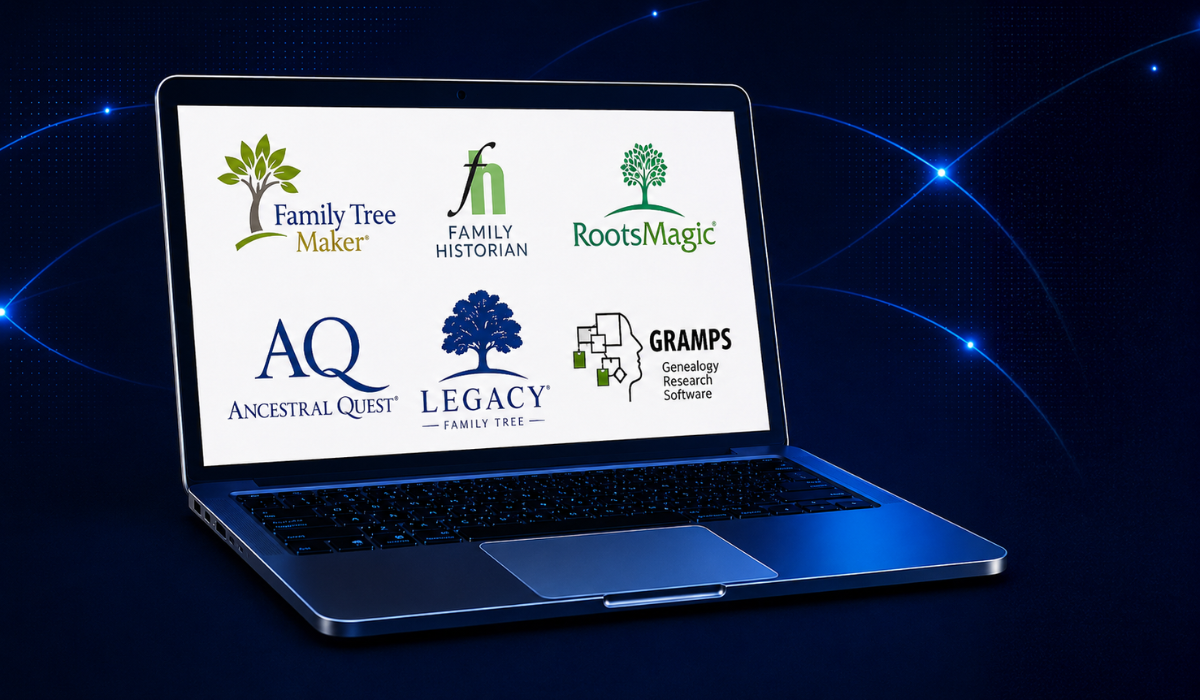
Genealogy software makes organising and analysing your family history easier by allowing users to build detailed family trees and manage extensive data. Although many online platforms offer tree building features, this overview is confined to software that is installed and operated locally on a personal computer, rather than cloud-based or exclusively web-based solutions.

Using locally installed genealogy software offers several key benefits: full control over your data, enhanced privacy by avoiding third-party servers, and more advanced features and customisation than many online options. Offline access means you can work without internet, and local storage simplifies backup and data transfer. In summary, desktop genealogy software provides a secure, flexible and reliable way to manage and preserve your family history.

The following sections provide brief overviews of each program, followed by a comparison table summarising their features and costs.


Family Tree Maker is one of the most well-established and widely used desktop genealogy programs. Originally developed in the late 1980s, it is now published by Mackiev Software and is available for both Windows and macOS platforms.

The software allows users to build and manage detailed family trees, attach media files, cite sources, and generate various reports and charts. One of its key strengths is its seamless integration with Ancestry.com, allowing users with a subscription to sync their tree between the software and their online Ancestry account. It also supports integration with FamilySearch, giving access to additional records and collaborative tools.

Family Tree Maker features include:

  • A user-friendly interface with flexible navigation
  • Hints from Ancestry and FamilySearch
  • Web merging and real-time record syncing
  • Advanced sourcing and citation tools
  • Photo and media management
  • Chart and report generation (pedigree, descendant, relationship, etc.)

In addition, the TreeVault® Cloud Services offers secure cloud backup, historical snapshots of your tree, and the option to view your tree via a mobile app.

Family Tree Maker is a commercial product and requires a one-time purchase, with optional upgrades for future versions.

RootsMagic is a well-regarded desktop genealogy program designed for both beginners and experienced researchers. Available for Windows and macOS, it offers robust tools for building and managing family trees, citing sources, and generating reports.

The software is known for its clean interface, flexibility, and strong data integrity features. It supports the import and export of GEDCOM files and allows for detailed customization of facts, relationships, and notes.

A standout feature of RootsMagic is its integration with major online services, including Ancestry, FamilySearch, MyHeritage, and Findmypast. With a connected account, users can access records, sync data, and compare individuals between their tree and online databases.

RootsMagic also offers:

  • A powerful "TreeShare" feature to sync with Ancestry trees
  • Access to FamilySearch Family Tree for collaborative research
  • A wide range of charts and reports
  • Built-in research tools and to-do lists
  • Free version available (RootsMagic Essentials) with core features

RootsMagic is valued for its combination of power, precision, and user control, making it a strong choice for those who want a locally stored, feature-rich genealogy solution with optional online connectivity.

Legacy Family Tree is a feature-rich desktop genealogy program for Windows, offering powerful tools for documenting, organising, and researching family history. Known for its depth and flexibility, Legacy appeals to both beginner and advanced genealogists.

The software supports detailed event tracking, customisable reports, source citation, and media management. Its user interface is structured and data-focused, with options for managing large, complex trees and extensive documentation.

One of Legacy’s standout features is its comprehensive reporting system, including pedigree charts, descendant reports, timelines, and books. It also includes to-do lists, correspondence tracking, and research logs, helping users stay organized.

Legacy integrates with major online services, including FamilySearch, MyHeritage, and Findmypast, allowing for record matching, syncing, and data downloads (subscription required for some features).

There are two versions:

  • Legacy Standard – a free version with essential features
  • Legacy Deluxe – a paid version offering full functionality, including mapping, enhanced reports, and advanced research tools

Legacy Family Tree is especially suited to users who value detailed documentation and prefer a locally installed, data-rich environment for their research.

Family Historian is a powerful and user-friendly desktop genealogy program developed by Calico Pie, available exclusively for Windows. Known for its modern interface and strong visual tools, it appeals to both beginners and experienced genealogists. A key feature of this program is that it is authored in the UK and uses UK-specific terminology, making it especially appealing to those researching UK genealogy.

Another attractive feature is that it stores in simple GEDCOM rather than proprietary file format.

The software allows users to create detailed family trees, link multimedia files, cite sources, and generate a wide variety of reports and charts. One of its standout features is the interactive smart tree view, which enables users to explore and edit their family tree directly on screen in real time.

Key strengths of Family Historian include:

  • Extensive charting options with customizable diagrams
  • Flexible source and citation management
  • Integration with online databases such as Findmypast and MyHeritage (with subscriptions), and hints from other sources
  • Built-in tools for mapping, timelines, and web page generation
  • Stores data in standard GEDCOM format, fully supporting custom tags and avoiding proprietary file types.

Family Historian also offers strong media handling, including face tagging in photos, and the ability to link sources and media to any record or event.

With a clean layout, powerful features, and active user community, Family Historian is ideal for users seeking a locally installed, visually intuitive, and highly customizable genealogy program.

Gramps (Genealogical Research and Analysis Management Programming System) is a powerful, open-source genealogy software designed for users who want flexibility, control, and depth in managing family history data. It is available for Windows, macOS, Linux, and BSD, making it one of the most cross-platform genealogy tools available.

Unlike commercial programs, Gramps is developed and maintained by a community of volunteers and is completely free to use. It appeals especially to experienced researchers and those comfortable with more technical interfaces.

Key features include:

  • Highly detailed event and source management
  • Customisable relationships and fact types
  • Support for citations, media, notes, places, and repositories
  • A wide range of reports, charts, and graphical tools
  • GEDCOM import/export and support for other formats
  • A plugin system for extending functionality

Gramps also includes advanced tools for data analysis and consistency checks, making it ideal for complex genealogical projects. While it has a steeper learning curve than some commercial alternatives, it is highly valued for its flexibility, data precision, and community-driven development.

Ancestral Quest is a comprehensive desktop genealogy program for Windows (with a macOS version available via crossover compatibility). Developed by Incline Software, it has been a trusted tool among genealogists since the 1990s, known for its reliability, flexibility, and strong feature set.

The software allows users to build detailed family trees, document events and sources, attach media, and generate a wide range of reports and charts. It also includes tools for notes, research logs, to-do lists, and collaboration tracking.

One of Ancestral Quest's strengths is its integration with FamilySearch, allowing users to sync data with the Family Tree, compare records, and reserve temple ordinances (for LDS users). It also supports direct collaboration and file exchange between other Ancestral Quest users.

Other features include:

  • GEDCOM import/export
  • Color coding, tagging, and filtering tools
  • Advanced sourcing and documentation
  • Side-by-side comparison and merging of records
  • Multi-language support

There are two versions:

  • Ancestral Quest Basics – a free version with core functionality
  • Ancestral Quest Full – a paid version with advanced tools and features

Ancestral Quest is well-suited for both casual and serious researchers, especially those who value strong FamilySearch integration, detailed data control, and a stable, time-tested platform.

MacFamilyTree is a modern, visually rich genealogy application designed exclusively for macOS (with companion apps for iPhone and iPad via MobileFamilyTree). Developed by Synium Software, it is known for its sleek interface, seamless Apple ecosystem integration, and emphasis on visualizing family history.

The software enables users to create and manage detailed family trees, attach media, cite sources, and generate a wide variety of reports and charts. One of its standout features is its interactive 3D Virtual Tree, offering an immersive way to explore family relationships.

Key features include:

  • Full iCloud sync between Mac and iOS devices
  • Beautiful charts and reports, including timelines, statistics, and fan charts
  • Built-in support for FamilySearch integration
  • Easy GEDCOM import/export
  • Comprehensive source and citation management
  • Privacy tools for sharing trees securely

MacFamilyTree is regularly updated and optimized for the latest macOS versions. It offers both a one-time purchase and integration with Apple’s Family Sharing.

With its combination of design, usability, and performance, MacFamilyTree is an excellent choice for Apple users seeking a powerful, visually engaging genealogy solution.

Family Tree Builder is a free Windows-based genealogy program by MyHeritage that lets users create and manage detailed family trees with photos, documents, and source citations. It integrates with MyHeritage’s online databases for smart matches and record hints (subscription required for full access).

Key benefits:

  • Intuitive and user-friendly interface
  • Smart matches and record hints to discover new relatives and records
  • Seamless syncing with MyHeritage online trees
  • Collaborative family tree sharing
  • Automatic photo tagging and multimedia support
  • Extensive charting and reporting options

Ideal for beginners and casual researchers seeking an accessible yet powerful genealogy tool.

Brother’s Keeper is a Windows-based genealogy software designed to help users easily build and manage detailed family trees. It offers flexible data entry, source citations, and multimedia support, catering to both beginners and experienced genealogists.

Key benefits:

  • Easy-to-use and straightforward interface
  • Comprehensive data entry with source citation and multimedia attachments
  • Flexible reporting and customizable charts
  • GEDCOM import/export for easy data sharing
  • Built-in error checking and data validation tools
  • Ability to generate web pages for sharing your family history online

Brother’s Keeper is a reliable and affordable choice for managing genealogical data on your own computer.

TreeView is a simple, Windows-based genealogy software focused on helping users create and visualize family trees. It emphasizes ease of use with a straightforward interface, making it suitable for beginners or those seeking a lightweight program.

Key benefits:

  • User-friendly and intuitive interface
  • Basic family tree creation and editing tools
  • Clear, easy-to-read pedigree and descendant charts
  • Supports GEDCOM import/export for data sharing
  • Lightweight and fast performance
  • Suitable for users new to genealogy software or those needing a simple tool

TreeView is ideal for users wanting a no-frills program to build and view family trees without unnecessary complexity.

Software

Platform(s)

Cost

Key Features

Strengths

Family Tree Maker

Windows, macOS

Paid

Ancestry sync, media management, hints, charts, maps, publishing

Strong integration with Ancestry, user-friendly, polished UI

RootsMagic

Windows, macOS

Free & Paid

Ancestry sync, advanced reports, source citations, mapping, DNA support, timelines, backup tools

Robust data handling, extensive reports, great value

Legacy Family Tree

Windows

Free & Paid

MyHeritage sync, research guidance, source management, mapping, timelines, DNA features, customizable reports

Powerful reporting, detailed source citations, active support

The Family Historian

Windows

Paid

Visual charting, multimedia integration, Findmypast sync, custom reports, timelines, mapping

Highly visual, rich multimedia handling, customizable interface

Gramps

Windows, macOS, Linux

Free (Open Source)

Highly customizable, plugins, source tracking, multiple export formats, mapping, charts

Open-source flexibility, suitable for power users

Ancestral Quest

Windows, macOS (via compatibility layers)

Free & Paid

FamilySearch sync, source citations, advanced data entry, timelines, mapping

Reliable syncing with FamilySearch, solid source management

MacFamilyTree

macOS, iOS

Paid

3D trees, iCloud sync, multimedia support, interactive charts, maps, timeline views, Apple ecosystem integration

Stunning visuals, great for Apple users, cloud sync

Family Tree Builder

Windows

Free

MyHeritage sync, smart matches, photo tagging, multimedia, charts, collaborative online trees

Beginner-friendly, strong online database access

Brother’s Keeper

Windows

Free & Paid

Flexible reports, GEDCOM support, error checking, multimedia, source citations, charts

Simple, affordable, reliable for managing data

TreeView

Windows

Free

Basic family tree creation, GEDCOM import/export, simple charts

Lightweight, very easy to use, good for quick visualisation

For beginners, Family Tree Builder, Brother’s Keeper, and TreeView offer simple, easy-to-use options.

For power users, Gramps and RootsMagic provide deep customisation and advanced features.

Those needing strong online integration often choose Family Tree Maker, RootsMagic, or Legacy Family Tree.

Mac users may prefer MacFamilyTree for its seamless Apple ecosystem integration.

If FamilySearch sync is important, Ancestral Quest is a strong candidate.

Our Opening Hours

For Research Centre Opening Hours
Please ask today's volunteer

Respect & Protect

Respect copyright and data protection.
Do not save personal data to these PCs.

Feedback

We welcome your feedback to help us
improve the Research Centre

Computer

Research Centre PC
ESFH-01

Computer

Research Centre PC
ESFH-02

Computer

Research Centre PC
ESFH-03

© Copyright. Essex Society for Family History. All Rights Reserved.  Registered Charity No 290552
Website by Beachshore

Website by Beachshore